Restaurant Not Showing on Google Maps? 6 Checks to Fix It
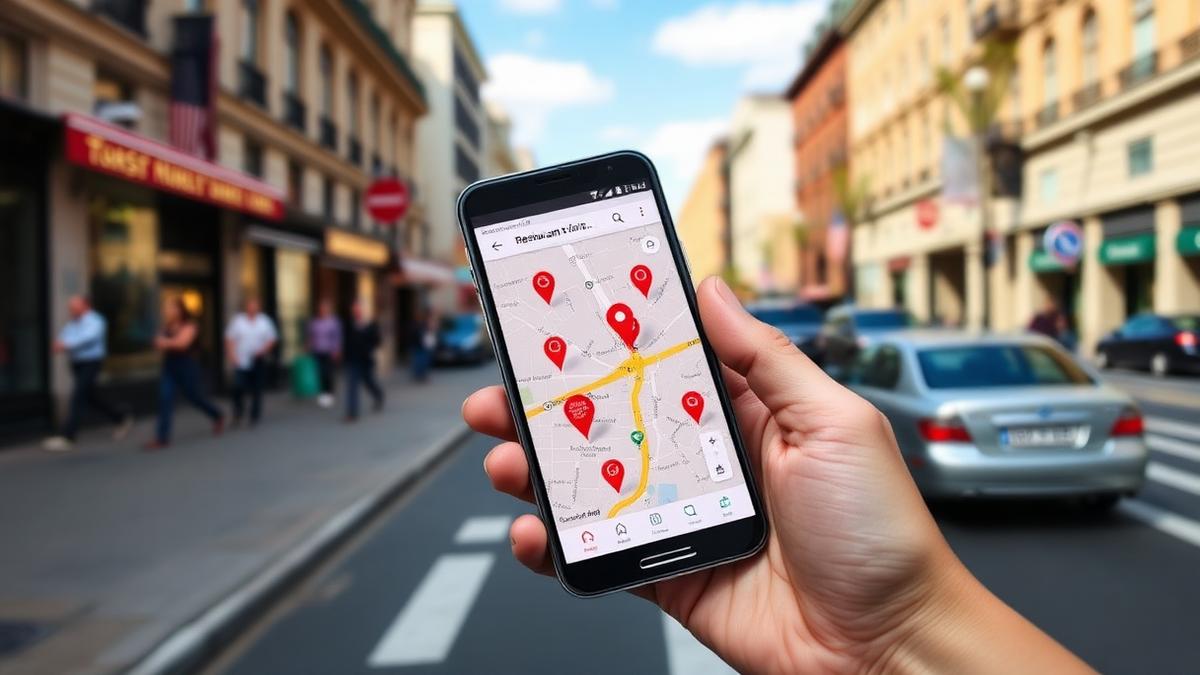
Quick answer: Most cases of a restaurant not showing up on Google Maps trace back to a profile problem: a suspension, an unfinished verification, a duplicate listing, the wrong category, or an address Google can't confirm. Posting or replying more does not fix any of those. Work through the causes below in order before you touch anything else.
Start with a suspension check
The single most common reason a restaurant disappears from Google Maps overnight is that the Google Business Profile has been suspended. Suspensions happen for reasons that often feel arbitrary: a recent name change, an address edit, someone flagging the listing, or Google's automated systems catching something that looks like a policy violation even when it isn't. Sign into Google Business Profile Manager and look for a suspension notice or a banner saying the profile is not visible on Google. If you see one, that is your answer, and the fix is an appeal through Google's process rather than more content or activity.
Verification incomplete or lapsed
A profile that was never fully verified, or one where verification lapsed after an address or ownership change, will not show up reliably in Maps or local search. Check the verification status in your dashboard. If it says "unverified" or asks you to verify again, that takes priority over everything else on this list.
Duplicate or overlapping listings
If your restaurant has more than one listing, whether from a past owner, a delivery platform auto-creating a profile, or a location move that left the old address live, Google can suppress or bury all of them rather than pick a winner. Search your restaurant's name and address on Google Maps and see how many results come up. If you find duplicates, request removal or merge them through Google's support tools.
Wrong or missing primary category
Your primary category tells Google what kind of business you are and which searches you should appear in. A restaurant listed only as "Caterer" or with no category set at all may simply not surface when someone searches "restaurants near me" or your cuisine type. Check that your primary category is accurate and specific, and that relevant secondary categories are filled in too.
Address and service-area problems
Google Maps depends on Google being able to confirm your physical location. If your address doesn't match what's on your website and other directories, if you're set up as a service-area business without a listed address, or if a recent move hasn't been reflected everywhere, that inconsistency can keep you from appearing on the map itself even if the listing technically exists.
An incomplete profile
A profile missing hours, phone number, website, or photos is not automatically hidden, but it competes worse in local results and can look unreliable to Google's ranking systems. Filling these fields in doesn't guarantee a fix, but it removes one more variable when you're troubleshooting. If the listing is visible but its cover image is outdated or incorrect, follow this guide to fix the wrong Google restaurant photo.
A brand-new listing that's still processing
If you just created your Google Business Profile, give it time. New listings and recent verifications can take days to a couple of weeks to fully populate and appear consistently across Search and Maps. Imagine a restaurant called Corner & Vine that opened last month and set up its profile the same week; it's normal for a listing that new to show up inconsistently, appearing for some searches and not others, before it settles.
For a step-by-step walkthrough of all of this, the Google Business Profile not showing covers each check in more detail with screenshots of where to look in the dashboard. And if your listing does show up but sits below other restaurants nearby, that's a separate question worth reading about in why a competitor may rank higher than you.
What to do while you wait
While a new listing settles, or while you're waiting on a suspension appeal, keep making sure your Name, Address, and Phone number (NAP) match exactly across your website, Yelp, and delivery platforms. Inconsistent NAP data across the web is a separate signal that can slow down how confidently Google surfaces a new or recently changed listing, even after the core issue is fixed.
Where activity and freshness actually fit in
Once the structural issues above are ruled out, ongoing activity on your profile, posts, photos, and review replies, can be a modest contributing factor to how a listing performs in local search. It signals to Google that the business is active and gives searchers more reason to trust the listing. But it is not a substitute for fixing a suspension, finishing verification, or correcting a duplicate listing, and it will not make a suppressed or unverified profile reappear on its own. We don't have a confirmed mechanism for exactly how much weight Google gives to reply activity versus other freshness signals, so treat it as one input among several rather than the lever to pull first.
Independent restaurants reply to about 15% of their reviews on average, while chains reply to over 50%, and restaurants that respond to 100% of Google reviews vs none see about 16.4% more calls, website clicks, and direction requests on their Google Business Profile (SOCi State of Google Reviews, 2022). That's a real reason to build reply habits regardless of your Maps visibility, just not the reason your listing disappeared in the first place.
If your profile checks out on all the points above and you want a broader view of how local search ranking works, our local SEO guide for restaurants walks through the factors that influence where you rank once you're actually visible.
Keeping replies current is one small, manageable piece of that ongoing maintenance. Try Wimi free if you want that piece handled without adding it to your weekly list.
The bottom line
Work through suspension, verification, duplicates, category, address, and completeness before you worry about posting frequency. Most disappearing-listing problems get solved in the first three or four checks, and activity is a secondary factor that helps once the fundamentals are already right.
Frequently asked questions
- Does Google suspend inactive profiles?
- Google can suspend a profile for policy issues, suspicious edits, or verification problems, but plain inactivity by itself is not a documented, confirmed cause of suspension. If your listing disappeared, check for a suspension notice in Business Profile Manager first rather than assuming it was caused by low posting activity.
- How long does it take for a new Google Business Profile to show up?
- New or newly verified listings can take anywhere from a few days to a couple of weeks to appear consistently in Search and Maps. It's normal to see inconsistent visibility during that window while Google's systems catch up.
- Can duplicate listings really hide my restaurant on Maps?
- Yes. When Google detects overlapping listings for the same business, it can suppress some or all of them rather than clearly favoring one, which is why merging or removing duplicates is worth checking early.
- Will replying to more reviews fix a Maps visibility problem?
- It may help modestly as one of many freshness and engagement signals, but it will not fix a suspension, an unfinished verification, or a duplicate listing. Structural issues need to be resolved first.
Mahrukh Akram
Mahrukh Akram writes about local discovery and reputation for independent restaurants at Wimi.